
Zombillion app
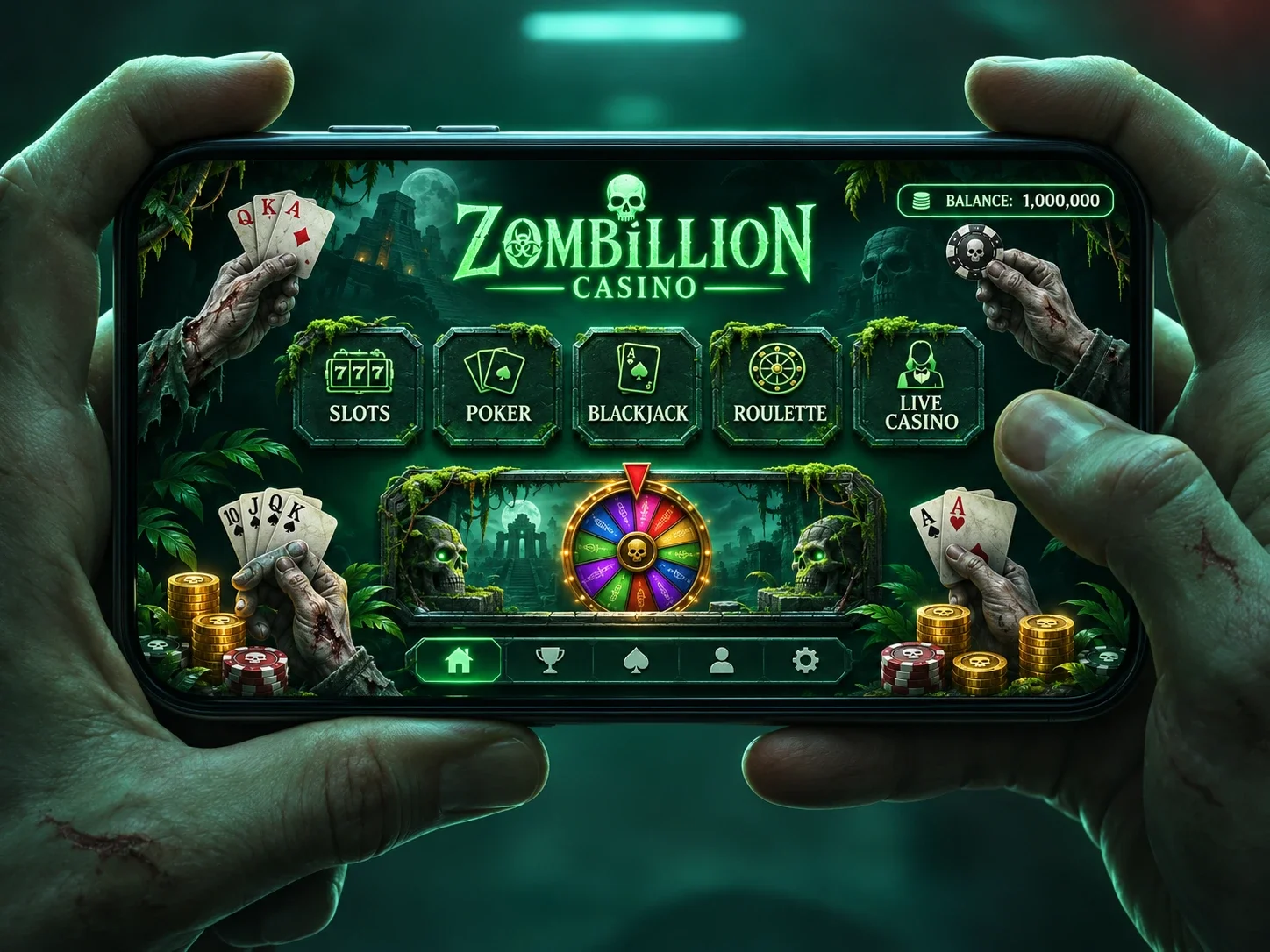
For players in the United Kingdom, the Zombillion app brings our 5,000+ games, live tables and payment tools together with the same account used in your browser. We build mobile play around touch controls, with portrait and landscape layouts for different sessions. Browse slots, manage deposits or return to a live dealer without creating a separate profile. Your balance and bonus activity belong to that shared login, rather than a particular handset. Access is reserved for adults aged 18+, and real money play should always stay within a budget chosen before depositing.
How to Download the Zombillion app
We provide native versions through the App Store and Google Play, keeping installation within each platform’s familiar process. At Zombillion Casino, mobile access also includes a browser option requiring no installation. Choose that route when storage is limited or when you prefer opening our website directly instead of keeping another application installed.
| Device | Minimum System | Size | Source | Install Time |
|---|---|---|---|---|
| iPhone and iPad | Listed in App Store | Listed in App Store | App Store | Connection dependent |
| Android phones and tablets | Listed in Google Play | Listed in Google Play | Google Play | Connection dependent |
| Mobile browser | Compatible browser | No installation | Our website | No installation |
For Android Phones and Tablets
- Open zombillion-casino.eu.com in Chrome.
- Open our app section from the website.
- Follow its Google Play link to download the application.
- Confirm installation through Google Play using the permissions displayed.
- Open your installed application, then log in or register.
Use the store listing’s compatibility information before starting, especially on an older tablet or a handset with limited free storage.
For iPhone and iPad
- Open zombillion-casino.eu.com in Safari.
- Find our app section.
- Follow the link through to the App Store.
- Confirm installation with Face ID or your Apple ID password.
- Open the application, then sign in or create a profile.
Requested permissions cover network access and notifications, not contacts, photos or location.
Logging In and Getting Started
Sign in to the Zombillion app with your existing email address and password, using the same credentials as browser play. New registration asks for email, password, date of birth and country, with an optional promo code. Confirm your age before continuing. After registration, open Account > Cashier > Deposit, choose a payment method and enable the bonus switch if claiming an eligible welcome offer.
For later visits, biometric access provides an alternative to entering credentials manually. Configure it through Account > Security > Login Settings.
Keep registration details consistent with identification documents. Payment ownership and identity checks can form part of withdrawal verification, so accurate information helps avoid preventable corrections later.
Games and Features in the Zombillion app
Our full catalogue remains available through mobile access rather than a smaller selection reserved for handsets. Browse familiar categories, choose a game and review its individual controls before staking money.
- Slots: Sweet Bonanza, Gates of Olympus and Book of Dead offer starting points for exploring our slot selection.
- Live Casino: Evolution supplies dealer-led play, including roulette and blackjack tables.
- Table Games: Roulette, blackjack and baccarat provide alternatives to spinning reels, with rules available inside individual games.
- Video Poker: This category combines card decisions with a machine-based format rather than a live dealer.
- More Slots: Starburst adds another named title to explore alongside the broader catalogue.
Providers at Zombillion Casino include Pragmatic Play, Evolution, Play'n GO and NetEnt. Games use mobile browser technology, whether opened through browser access or a mobile interface. Wi-Fi and mobile data both provide connectivity, although interruptions can affect an active session. Read individual game instructions before changing stakes, especially when switching between a slot’s controls and a live table’s betting layout.
Rotate your screen when another layout feels more comfortable. Before joining a dealer table, allow its video connection to load fully.
A smaller display makes deliberate bet selection especially important. Review the stake shown before confirming each round, and avoid treating a familiar title as a reason to skip its rules. Different games can use different betting controls, payout tables and bonus features even when their themes look similar.
Deposits and Withdrawals on Mobile
The Zombillion app places deposits and withdrawal requests within the same cashier. Open Deposit to fund play, or use Account > Cashier > Withdraw to request a payout. Available options reflect payment eligibility, verification status and transaction restrictions.
| Item | Details |
|---|---|
| Minimum Deposit | Method-specific cashier limits |
| Maximum Deposit | Method-specific cashier limits |
| Minimum Withdrawal | Method-specific cashier limits |
| Maximum Withdrawal | £460 daily; £1,900 weekly; £6,100 monthly |
| Deposit Methods | Visa, Mastercard, Skrill, Neteller, Apple Pay, Google Pay |
| Withdrawal Methods | Eligible cards, e-wallets, bank transfers, cryptocurrency |
| Processing Time | Card and e-wallet deposits generally instant; payouts subject to approval |
| Fees | Payment method terms |
| Account Currency | GBP |
Apple Pay and Google Pay support a convenient mobile deposit route. Choose an available wallet in the cashier and complete its authorisation steps. A deposit option does not automatically establish that the same method accepts withdrawals.
Card and supported e-wallet deposits generally credit instantly. Bank transfers follow banking procedures, while cryptocurrency deposits require network confirmations. Withdrawal approval is separate from delivery: card payouts and transfers can take several working days, and cryptocurrency transfers require approval plus blockchain confirmation. Avoid planning essential spending around an uncompleted withdrawal request.
Prepare proof of identity, address and payment ownership when requested. Submit clear documents with matching details rather than repeatedly uploading different versions.
Claiming Bonuses on Your Phone
Welcome promotions at Zombillion Casino follow the same terms through mobile and browser access. Our Casino Welcome Package totals up to £3,000 plus 100 free spins across three qualifying deposits. The first stage offers 100% up to £990 plus 50 free spins; the second offers 55% up to £990 plus 50 free spins. The third offers 100% up to £990 without additional spins. Select the intended promotion before completing its qualifying transaction.
Each welcome stage requires at least £63, permits a maximum bet of £6.30 and lasts 24 hours. Wagering is 35x deposit, bonus and free spin winnings for the first two stages, then 35x deposit and bonus for the third. Each stage has a maximum withdrawal of 5x its bonus amount.
Additional promotions in the Zombillion app include High Roller Bonus, Crypto Welcome Bonus and Crypto High Roller Bonus. Their conditions differ from welcome stages, so review the selected promotion before staking. Follow progress through Account > Bonuses > Active Bonus, paying particular attention to wagering, eligible games and expiry rather than treating every promotional balance alike.
| Promotion | Reward or Qualification | Additional Conditions |
|---|---|---|
| High Roller Bonus | 50% up to £990 | £990 minimum deposit; £2,000 deposit for maximum bonus |
| Crypto Welcome Bonus | 140% up to £1,100 plus 140 free spins | £21 minimum deposit; Hot Chilli Bells 100 |
| Crypto Welcome Bonus Terms | 35x bonus wagering | £4.20 maximum bet; £5,900 maximum winnings; 7 days |
| Crypto High Roller Bonus | £250 minimum deposit | Gold Rush with Johnny Cash free spins |
| Crypto High Roller Bonus Terms | 35x bonus wagering | £4.20 maximum bet; £4,200 maximum winnings; 7 days |
| Cashback Promotions | Separate 40% and 60% offers | 40x bonus wagering |
A promotion’s maximum bet is a restriction, not a recommended stake. Keep ordinary play limits separate from bonus targets and stop when planned spending is reached.
Account Security and Licence
Zombillion Casino operates under the Anjouan Gaming Authority licence ALSI-202509029-FI1. Available account protection includes biometric access using Face ID or fingerprint recognition, alongside optional two-factor login. Manage those choices through Login Settings rather than sharing credentials with another person. Keep access to your registered email address secure, because control of that mailbox matters when handling profile access or correspondence.
Use one personal profile across mobile and browser sessions. A second registration is not a substitute for recovering access to an existing login.
The Zombillion app follows our one-account-per-person rule, with checks involving email, device and payment method information. VPN use is not allowed and can lead to restrictions. Never let someone else operate your profile or supply payment details you do not own. Treat play as entertainment within a budget set before the first deposit.
Frequently Asked Questions
Is the Zombillion app in the App Store and Google Play?
Yes, native versions are available through the App Store and Google Play. Start from our website’s app section to reach the relevant listing, then review compatibility information before confirming installation. Browser access remains available without installing software.
Do I Need a New Account for Mobile Play?
No, use your existing email address and password. Browser and mobile access share one profile rather than requiring separate registrations. If access fails, recover your existing login instead of opening another profile, since only one account per person is permitted.
Which Payment Methods Work on a Phone?
Supported options include Visa, Mastercard, Skrill, Neteller, Apple Pay, Google Pay and cryptocurrency. Availability and transaction limits depend on the method and verification status. Select a cashier option to review its conditions, and distinguish deposit support from eligibility for withdrawals.
Do Live Casino Tables Run on Mobile?
Yes, live casino play includes Evolution tables alongside roulette, blackjack and baccarat categories. Allow video to load before betting and keep a stable connection throughout play. Individual tables display their own betting controls, limits and rules.
Can I Claim the Welcome Offer Through Mobile Access?
Yes, eligible players can select the welcome promotion while arranging a qualifying deposit. Mobile access does not create different wagering rules or additional eligibility. Review the chosen stage before confirming payment, then follow its remaining requirements through Active Bonus.
What Should I Do if Installation Fails?
Use browser access while resolving compatibility or installation problems. Send your phone model, operating system version and a description of the issue to support@zombillion-casino.eu.com. Include any displayed error text, but never send your password or full payment credentials.
How Do I Contact Support at Zombillion Casino?
Open Account > Support > Live Chat to contact our support team from mobile access. Explain which screen or transaction needs attention, and include the relevant error message when available. Keep payment credentials and passwords out of chat messages.
Download the Zombillion Casino App
Access 5,000+ games, live tables and your existing browser account through the Zombillion Casino mobile app. Download the native version from the App Store or Google Play, then sign in with your usual credentials. Eligible players can claim a Casino Welcome Package of up to £3,000 plus 100 free spins, subject to its deposit and wagering terms. Manage deposits, withdrawal requests and bonus progress from your mobile account.
Keep one account across browser and mobile play.
Last updated: